
Austin, the vibrant capital of Texas, is a city where the pulse of live music, the aroma of smoky barbecue, and the spirit of independence converge. Whether strolling down South Congress Avenue, paddling along Lady Bird Lake, or savoring the eclectic bites from a food truck, there’s a constant buzz in the air. But beneath this laid-back Texan charm lies a rapidly evolving city, technologically savvy and always in motion.
In a place where cultural festivals, natural beauty, and modern infrastructure meet, navigating and experiencing Austin becomes infinitely easier with the right digital tools. From transportation and dining to live events and local experiences, a well-curated set of mobile applications and online platforms turns a good trip into a great one.
1. Navigating Austin with Ease: Transportation Apps
CapMetro App (Capital Metropolitan Transportation Authority)
Public transportation in Austin is more functional than many expect, particularly for a city known for its car culture. The CapMetro app is the go-to solution for anyone looking to take advantage of buses, commuter trains, and rapid transit lines. The interface is streamlined, providing real-time arrival data, route planning, fare purchasing, and service alerts.
Noteworthy features:
- Real-time GPS tracking for all buses and trains
- Digital ticketing with stored value for multiple rides
- Integration with Apple Wallet and Google Pay
- Route maps and trip planning tools with transfer points
The MetroRail, in particular, is useful for traveling between downtown Austin and the northern suburbs, especially during events when traffic becomes dense.
RideAustin
A locally developed rideshare alternative to Uber and Lyft, RideAustin stands out by operating as a non-profit and integrating with charitable donations. The app functions similarly to national platforms but often supports the community with its revenue model. Drivers are plentiful in central neighborhoods and during major events.
Key points:
- Option to round up fares for donations to local nonprofits
- Transparent pricing and tipping structure
- Often features lower surcharges during peak times compared to Uber
Lime and Bird
For short-distance travel across downtown or the university area, e-scooters are an efficient (and fun) choice. Lime and Bird dominate the scene, with hundreds of scooters scattered along sidewalks, bike lanes, and near public transit stops.
Important tips:
- Helmets are strongly encouraged, especially when navigating Congress Avenue or 6th Street
- Downloading both apps increases your chances of finding an available scooter
- Follow local scooter parking regulations to avoid fines or impoundment
Scooters are best used for distances under two miles, particularly between food truck parks, nightlife areas, and tourist attractions like Zilker Park or the Texas State Capitol.
2. Staying Connected: Communication and Local Alerts
Nextdoor
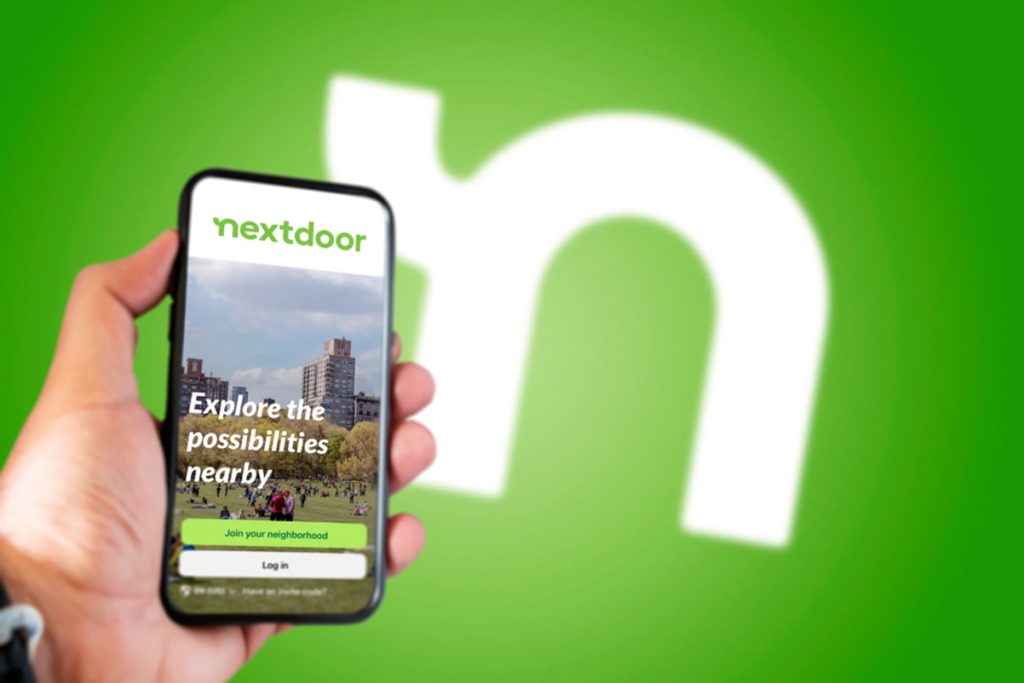
Unlike broader social media platforms, Nextdoor focuses on hyperlocal communities. In Austin, this can be extremely valuable for finding neighborhood-specific information like street closures, community events, safety notices, or even garage sales.
Most useful for:
- Real-time neighborhood alerts
- Community discussions about events and local politics
- Tips on less-publicized venues or park updates
Austin 311
Austin’s official non-emergency services app, Austin 311, is invaluable for navigating minor urban inconveniences. Whether dealing with noise complaints, potholes, or graffiti, the app enables direct reporting to the city’s maintenance and administrative departments.
Recommended usage:
- Report public cleanliness issues in tourist-heavy areas
- Find updates on water restrictions or park access changes
- Understand the city’s regulations during large festivals or extreme weather
Zello Walkie Talkie
During crowded events like SXSW, ACL Fest, or even Formula 1 weekend, traditional cellular networks can get overloaded. Zello transforms your phone into a walkie-talkie, providing direct push-to-talk communication.
Perfect for:
- Keeping in touch with travel companions in large crowds
- Real-time updates between groups visiting separate parts of the city
- Emergency communication during storms or power outages
3. Dining and Food Culture: Apps for Austin’s Culinary Scene
Truckster
Austin’s food truck culture is more than a trend—it’s a foundation of the local dining experience. Truckster is specifically designed to track food truck locations, schedules, menus, and even wait times.
Why it’s essential:
- Real-time location updates for mobile vendors
- Filters by cuisine, dietary needs, and neighborhood
- Reviews and photos from recent visitors
Popular areas like East Austin, Barton Springs, and South First Street often host dense clusters of trucks. Truckster helps locate the best options without unnecessary wandering.
Tock
While many restaurants rely on traditional reservation systems, high-end and experimental venues like Otoko, Suerte, or Emmer & Rye use Tock to manage bookings. The app often includes pre-paid reservations or deposit-based seating, reducing no-shows and ensuring availability during busy seasons.
Use cases:
- Secure hard-to-get reservations
- Join waiting lists for last-minute cancellations
- Preview tasting menus and seasonal offerings in advance
Yelp & Google Maps Reviews
Though not Austin-specific, both Yelp and Google Maps become surprisingly crucial in this city, where local spots can rise or fall in reputation with viral popularity. Both apps offer user-generated photos, menu updates, and timing insights.
Best usage tips:
- Filter by “Open Now” to navigate late-night bites
- Cross-check menus to ensure vegetarian or allergen-safe items
- Read reviews from the past month to avoid outdated feedback
4. Finding Events, Shows, and Live Music
Do512
The Do512 platform (available both as an app and a website) serves as the most comprehensive listing of live music, events, and nightlife in Austin. From basement DJ sets to headlining acts at Moody Amphitheater, Do512 keeps a finger on the city’s cultural pulse.
Top features:
- Daily-curated event calendars with ticket links
- Category filters like “Free Events,” “21+,” or “Family-Friendly”
- Integration with RSVP and local promotions
During major weeks like SXSW or Pecan Street Festival, Do512 becomes indispensable for finding last-minute gigs, secret shows, and pop-ups that aren’t advertised elsewhere.
Bandsintown
Live music fans benefit greatly from Bandsintown, which tracks artists and notifies users when their favorite acts perform nearby. In Austin, this app shines because artists often announce last-minute sets at local bars or smaller venues.
Features:
- Personal concert calendar syncing with Spotify and Apple Music
- Venue-based recommendations
- Alerts for surprise shows or under-the-radar appearances
Pairing Bandsintown with Do512 offers a near-complete view of what’s happening across the city, from Red River Cultural District to East Austin’s warehouse bars.
Eventbrite
While known for conferences and workshops, Eventbrite lists a wide range of local Austin happenings: poetry readings, yoga brunches, cooking classes, and niche film screenings. It provides a glimpse into Austin’s creative subcultures.
Best for:
- Finding local pop-ups not listed on tourism websites
- Booking free or pay-what-you-want events
- RSVPing to networking meetups or wellness sessions
5. Discovering Nature and Outdoors
AllTrails
For those drawn to Austin’s green spaces and scenic trails, AllTrails offers detailed maps, elevation data, difficulty ratings, and crowd estimates for hiking and biking routes. Zilker Park, Barton Creek Greenbelt, and McKinney Falls State Park are just the beginning.
Recommended trails:
- Barton Creek Greenbelt (moderate difficulty, waterfalls)
- Mount Bonnell (short hike, panoramic views)
- River Place Nature Trail (challenging terrain, fewer crowds)
Use AllTrails to:
- Avoid muddy paths after rain
- Navigate off-the-grid loops in larger parks
- Track distance and calories burned
Texas Parks & Wildlife App
The official Texas Parks & Wildlife app is especially helpful when exploring outside Austin proper. From camping permits to fishing regulations, the app centralizes outdoor planning with weather updates and park alerts.
Key functionalities:
- Check availability and reserve state park campsites
- View trail closures due to flooding or wildlife activity
- Access guides on native plants and animals
6. Local Culture, Shopping, and Hidden Gems
Atlas Obscura
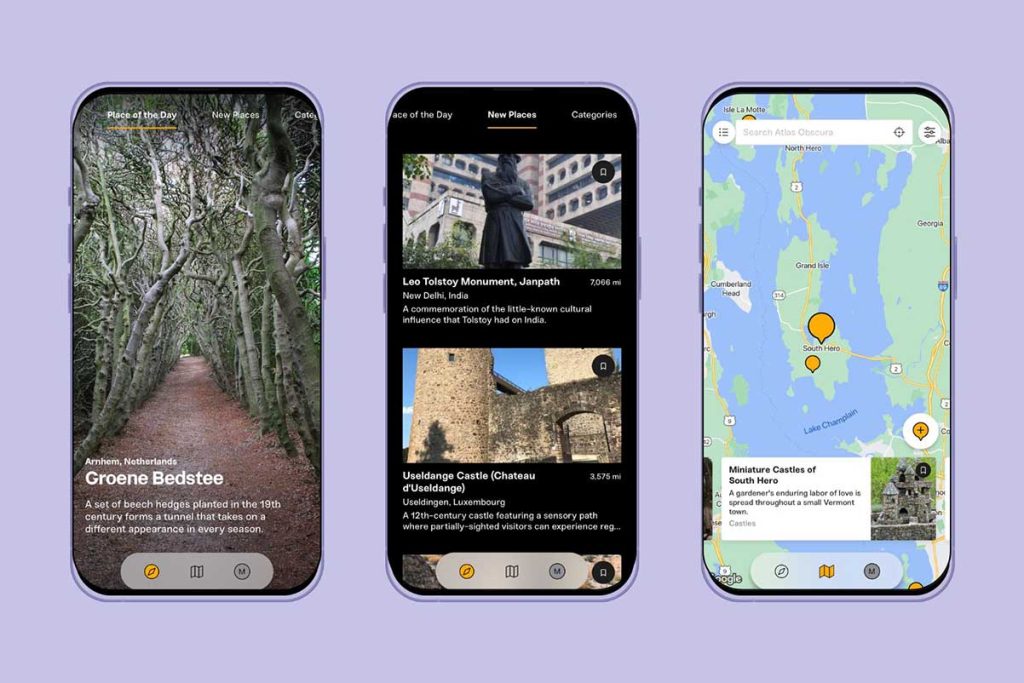
For those who prefer wandering beyond the mainstream, Atlas Obscura unveils the odd and extraordinary side of Austin. From a cathedral of junk in South Austin to the Museum of the Weird on 6th Street, these entries introduce landmarks that rarely make conventional guidebooks.
Favorites to search:
- The Cathedral of Junk
- Sparky Park Substation
- Elisabet Ney Museum
Features include:
- User-submitted updates on location access
- Historical background and cultural context
- Tips for nearby oddities and hidden cafés
ThriftBuddy
Vintage hunting is practically a sport in Austin. ThriftBuddy helps locate the best thrift and resale shops, whether seeking retro denim or mid-century décor. The app lists reviews, operating hours, and even upcoming restock days.
Neighborhoods with high-density vintage stores:
- South Lamar
- North Loop
- East Cesar Chavez
Use ThriftBuddy to:
- Plan a walking tour of antique stores
- Filter by clothing, furniture, or books
- Save favorite spots for return visits
7. Staying Safe and Informed
Ready Central Texas
This official emergency preparedness app, developed by the City of Austin and Travis County, offers crucial updates during weather events, power outages, or water advisories. Central Texas experiences flash flooding, severe storms, and rare winter disruptions, so staying informed is important.
Key services:
- Push notifications during flash flood warnings
- Shelter locations and evacuation guidance
- Disaster kit checklists and alerts in multiple languages
Citizen App
Though more controversial, the Citizen App provides real-time reports of safety-related incidents—fires, car crashes, roadblocks, and suspicious activity. In busy entertainment districts like Rainey Street or East 6th, it’s useful for staying aware of your surroundings.
Be mindful:
- Verify reports through official sources
- Avoid contributing to panic or misinformation
- Use the map view to navigate away from active incidents
8. Final Thoughts on Staying Digitally Equipped in Austin
Spending time in Austin means embracing the unexpected, whether it’s an impromptu jazz set in an alleyway or a surreal sculpture garden tucked behind a coffee shop. But for every serendipitous discovery, having the right tools at your fingertips makes a difference—apps that guide, protect, connect, and enrich the experience.
Each of these platforms reflects something unique about Austin: its community-driven innovation, its celebration of creativity, its openness to exploration. By blending tradition with tech-savvy tools, the city invites visitors to discover it on their own terms—confident, curious, and always ready to say, “Let’s see where the night takes us.”